Showing posts with label Technology update. Show all posts

Friday, March 11, 2011

Download Nokia Symbian devices new Software update version 1.1

devices more stable, and adds a number of functions:

  • Request for meeting may be taken directly out of an invitation, sent by e-mail
  • Integration of cards to email, allowing the other party, which is in correspondence, to see the location of the meeting on the card, if he were sent by e-mail request for a meeting with the completed address field.

N8 available some new features:


  • A new version of Office documents editor Quick Office 6.4
  • Three new high-quality game Need for Speed Shift, Real Golf and Galaxy on Fire. (For some markets, Need for Speed Shift will be replaced by Asphalt 5). For existing users of these games are available for free download from the Ovi Suite and Ovi Store.
  • Get software updates for phones you can use software Software Update directly from the device, or use a program Ovi Suite with your PC.

Wednesday, January 5, 2011

HTC 7 MOZART - SMARTPHONE


HTC 7 MOZART - SMARTPHONE
SOON TO BE LAUNCHED IN INDIA WITH TATA DOCOMO
**EXCLUSIVE REPORT**

Guess HTC’s recent hiatus was an indication of swamping the mobile phone segment with incredibly competitive solutions. After announcing its HTC HD7, the company has now partnered with Tata Docomo to unveil the feature-rich HTC 7 Mozart smartphone with the new Windows Phone 7 loaded on for Indian consumers.

Powered by Microsoft’s breakthrough platform, the strikingly devised piece follows the footsteps of HTC’s recently rolled out HD7. The device now enables users to get more done in fewer steps with a unique Hub and Tile interface. By taking advantage of the Windows Phone 7, users can quickly access a person’s latest and most valuable information.

Not only this, the solution conjugates many popular Microsoft services such as Bing and Office. Embellished with a single piece of anodized aluminum, the stylish Mozart feels great in the hand and pyramids the company’s unibody design aesthetic. The assimilation of Microsoft Zune lets users synchronize the handset with their PC and carry their music and video library anywhere.

Ajay Sharma, Country Head, HTC India said:
“The HTC 7 Mozart is a great piece of craftsmanship with some of the most advanced features and perfectly underlines HTC’s focus on raising the bar in mobile phone innovation and design, With its stunning looks, great features and the new Windows Phone 7 experience, we are positive that the HTC 7 Mozart will be a great success in India, and are extremely happy to partner Tata DOCOMO in bringing the phone here.”

Apart from this, the handset hugs a vibrant 3.7-inch display with WVGA resolution and pinch-to-zoom feature. An 8 megapixel camera with auto-focus, Xenon flash and 720p high-definition recording comes as yet another attractive aspect. The photography experience gets tacked on by its built-in scenes that comprise candlelight, landscape, and portrait to match the subject’s environment. Further Details regarding HTC Mozart will be released by kingdom-v later.

The new HTC 7 Mozart smartphone has been tagged at Rs. 26,490 and will be made procurable through all authorized HTC resellers across the country.

Sunday, January 2, 2011

Nokia Care India Customer Care Phone Number

Do you need help with your Nokia cell phone? Call Nokia customer care number and get support from Nokia customer service officers.

Nokia Customers can call at +91 (80) 30303838 between 9 am and 9 pm, Monday through Sunday, including public holidays. Local or STD call rates apply depending on where you calling from. The customer support representatives can support you in many languages including English, Hindi, Tamil, Telugu, Kannada, Bengali, Malayalam, Punjabi, Marathi and Gujarati.

If you are looking for Nokia Retail Stores, you may find the list of Nokia retail stores in your city.

You can also locate the Nokia Phone Customer Care numbers in your state at the nokia website.

Wednesday, December 29, 2010

GOOGLE Cool Tricks Amazing never seen before...

Go to
www.google.com

Type "google gravity" and then click "I'm feeling lucky" on Google,
the entire page will lose it's gravity!! ( wait for 10 sec )
Though you can still search on it and play with the webpage!!

ENJOY !!!

another -


Go to Google.com
And write "GOOGLE SPHERE" and den click on i m feeling Lucky....

Cheak Result...

Thanks..!!! For Visiting.........

Monday, December 27, 2010

way2sms.com Tricks


offers unlimited free SMS text messaging to any mobile phone across India.

Way2SMS supports all mobile networks in India (both GSM & CDMA networks), including Reliance and Tata Indicom.

Out of the 160 characters of a standard SMS, Way2SMS offers only 110 characters to the user to send out their personal SMS. Another 10 characters are reserved for displaying the sender’s mobile number. The rest of the characters are reserved for mobile advertisement. So you get free SMS for viewing the ads attached to the sent message.

The messages are delivered almost instantly. It worked well on my Reliance Mobile. At Way2SMS you can keep address book of your contacts. You can also create Groups and send a message to your groups.

way2sms.com - Free Unlimited SMS to cell phones in IndiaWay2SMS.com has a WAP version of the site at http://wap.way2sms.com which you can access from your cell phone directly. So you can send free SMS anywhere in India right from your mobile. You can use the same Way2SMS web account from your mobile.

Way2SMS.com is an unlimited messaging platform where millions of text messages are exchanged each day. You can send SMS text messages for free of cost to any mobile subscriber across India.

If you have any further questions or issues that you did not receive the verification code, send them an email at support@way2sms.com describing the problem, mobile network and the mobile numbers, approximate message sent time etc..

If you want to block all messages from Way2SMS to your mobile, send an email mentioning your mobile number in the body of the email and send it to support@way2sms.com with subject as “Block all messages from Way2SMS to my Mobile“.

And if you want to block message from a specific mobile phone number, please mail waysms mentioning your mobile number, number to be blocked, in the body of the email and send it to support@way2sms.com with subject as “Block Way2SMS messages from a particular Mobile“.

Way2SMS.com also has premium account services. You can send 160 characters long short messages with your name displayed instead of the 10 digit number. You can schedule messages and create alerts and notifications.

Saturday, December 25, 2010

Apple iPod Touch 8 GB Review


8GB flash drive
Holds up to 1,750 songs in 128-Kbps AAC format
Holds up to 10,000 iPod-viewable photos
Holds up to 10 hours of video


Audio
Audio formats supported: AAC (8 to 320 Kbps), Protected AAC (from iTunes Store), MP3 (8 to 320 Kbps), MP3 VBR, Audible (formats 2, 3 and 4), Apple Lossless, AIFF and WAV
Frequency response: 20Hz to 20,000Hz


Wireless
Wi-Fi (802.11b/g)
Nike + iPod support built in
Maps location-based service7
Bluetooth 2.1 + EDR

Input and output
Dock connector
3.5-mm stereo headphone jack

Headphones
Earphones
Frequency response: 20Hz to 20,000Hz
Impedance: 32 ohms

Battery and power
Built-in rechargeable lithium-ion battery
Playback time
Music playback time: Up to 30 hours when fully charged
Video playback time: Up to 6 hours when fully charged

iTunes 9 or later9

Windows system requirements
PC with USB 2.0 port
Windows Vista or Windows XP Home or Professional with Service Pack 3 or later
iTunes 9 or later9

Environmental requirements

Operating temperature: 0 to 35 C (32 to 95 F)
Nonoperating temperature: -20 to 45 C (-4 to 113 F)
Relative humidity: 5% to 95% noncondensing
Maximum operating altitude: 3000 m (10,000 feet)

Price Rs. 12400.

Wednesday, December 22, 2010

Online Image Editing at DrPic.com – Crop, Add Text, Effects.


Do you know Drpic is an Online Image Editng Site. In Drpic, you can edit images online in your browser without downloading and installing flash, java, silverlight, or any plugin no any other stuff. DrPic.com uses HTML, AJAX, and Java Script technology with absolutely no flash. You can Crop, Resize, Add Text, Special Effects, and Host ur pictures online for free at DrPic.com full free...

Start editing picture online at http://drpic.com/

Features:-

* Resize - allows you to change the dimension of your picture
* Crop - allows you to trim the unwanted portions of your picture
* Rotate - allows you to turn your picture around on its side or upside down
* Brightness Contrast - allows you to increase and decrease the luminance and / or contrast of your picture
* AutoFix - allows you to automatically adjust the brightness and contrast of your picture
* Brush - allows you to draw your picture with various brush size and colors
* Text - allows you to add text to your picture with varoius font styles
* Gaussian Blur - allows you to create an out-of-focus effect in your picture
* Sharpen - allows you to add focus to your picture
* Raise - allows you to add a translucent 3D outer bevel effect to your picture
* Raised Frame - allows you to add a 3D colored frame to your picture
* Polaroid - allows you to apply a unique polaroid effect to your picture
* Oil Paint - allows you to apply a unique oil paint effect to your picture
* Spread - allows you to add noise to your picture
* Grayscale - allows you to eliminate color from your picture
* Host your pictures for free using the Save to Web feature
* Load a picture directly from the Internet using a web address
* Revamping graphic user interface for enhanced usability and compatibility
* PicResize Batch Resize Tool allows you to resize multiple pictures at the same time. All your resized pictures will be returned in one compressed zip file

Microsoft Security Essentials 2.0 Released – Free Download @ Microsoft


Microsoft has released Security Essentials 2.0 which offers real time protection for your Windows PC against viruses, spyware, Trojans, worms and other malicious software. Security Essentials is free to download and can be installed in machines running Windows XP SP2 and higher, Windows Vista and Windows 7.

Security Essentials 2.0 ties with Windows Firewall and also integrates with Internet Explorer for detecting web-based threats. For better protection, Security Essentials run in the background while you work on your computer. The software updates itself automatically through internet so your PC will always have the latest security protection from Microsoft.


Microsoft Security Essentials has a simple and uncluttered interface which shows the security state of your PC.

Security Essentials 2.0 is the updated version of Security Essentials 1.0 which Microsoft released as a beta edition in September 2009. You can download Security Essentials 2.0 from Microsoft website.

Sunday, December 19, 2010

tagg.in | www.tagg.in

Hi guyzz and girls... welcome im ur friend sANket Tupe

Tagg.in is the cool sms blogging site is Fast and Free Blogging Via sms...
im using it from 14 months. Its just amazzzing... create blog tell friends to Follow or join (by sending sms to join blog through mobile) just post msg through login or from mobile. follower will get sms on there mobile. also other taggers will join you, you can tell or posts something about ur knowledge, tricks, tips, jokes, websites links more and more...

wait wait.....

Still fun not over...

If ur blog having good post. ur blog will comes on tagg.in home page. Means you got more follower and more..

There are two lists of Home page blogs.

* Night Rockers (Who's post during the night time,after 10 PM)
* Featured Blogs (Good informative and relevant blogs)

You can post 120 Characters on web and sms.

Ok ok just goto tagg.in and see all....

im also created blog there and enjoying with new friends. And getting new visitors from Tagg.in (My key of success) to our this Trickstube blog.

find our blog there in Education list @TechUpdate

Byeeeee... see u there...

ha and plz plz pry for my blog to get in Featured Blogs List (Featured Updates).....!

Samsung Star Duos B7722 Smartphone


amsung B7722 is a Dual SIM (GSM+GSM), 3G (HSDPA 3.6 Mbps) ready, bar styled Touch screen Smartphone. It is the first dual SIM Mobile Phone from Samsung to support 3G network.

Samsung B7722 has many advanced features and that include 3.2” TFT Touch-screen, 5.0 MP camera with 4X digital zoom and LED flash, secondary camera for video calling, stereo FM radio with RDS and FM recording.

This Smartphone comes equipped with large phonebook memory, expandable card slot with up to 8 GB expandable via microSD card and Mobile Tracker.

Connectivity options include Bluetooth and Wi-Fi.

Extra features include Document Viewer, Phone-booting without SIM, Google Maps, RSS Reader, Online Widget and SOS messaging.

The phone supports up to 770 minutes of talk time and up to 420 hours of standby time, thanks to 1200 mAh Li-Ion battery.

SAMSUNG GOOGLE NEXUS S Review


-SAMSUNG GOOGLE NEXUS S-
**FULL FEATURES AND CONFIGURATION**
{{Android 2.3 Gingerbread}}

--Previously known as Samsung i9020--
GENERAL: 2G Network GSM 850 / 900 / 1800 / 1900
3G Network: HSDPA 900 / 1700 / 2100
Announced: 2010, December
Status: Coming soon. Exp. release 2010, December
SIZE: Dimensions 123.9 x 63 x 10.9 mm
Weight: 129 g
DISPLAY: Type Super AMOLED capacitive touchscreen, 16M colors
Size: 480 x 800 pixels, 4.0 inches
- Oleophobic surface
- Contour Display with curved glass screen
- Multi-touch input method
- Accelerometer sensor for UI auto-rotate
- Touch-sensitive controls
- Proximity sensor for auto turn-off
- Three-axis gyro sensor.
SOUND Alert types: Vibration; MP3, WAV ringtones
Speakerphone: Yes
- 3.5 mm audio jack
MEMORY:
-Phonebook Practically unlimited entries and fields, Photocall
Call records: Practically unlimited
Internal: 16GB storage, 512 MB RAM
Card slot: No
DATA GPRS: Yes
EDGE: Yes
3G: HSDPA, 7.2 Mbps; HSUPA, 5.76 Mbps
WLAN: Wi-Fi 802.11 b/g/n; DLNA
Bluetooth: Yes, v2.1 with A2DP
Infrared port: No
USB: Yes, v2.0 microUSB
CAMERA : Primary 5 MP, 2560 x 1920 pixels, autofocus, LED flash
Features: Geo-tagging, touch focus
Video: Yes, WVGA@30fps
Secondary: Yes, VGA
FEATURES: OS Android OS, v2.3 Gingerbread
CPU: ARM Cortex A8 1GHz processor
Messaging: SMS(threaded view), MMS, Email, Push Mail, IM, RSS
Browser: HTML
Radio: No
Games: Yes
Colors: Black
GPS: Yes, with A-GPS support
Java: Via third party application
- Social networking integration
- Digital compass
- MP4/DivX/WMV/H.264/H.263 player
- MP3/WAV/eAAC+/AC3/FLAC player
- Organizer
- Image/video editor
- Document editor (Word, Excel, PowerPoint, PDF)
- Google Search, Maps, Gmail,
YouTube, Calendar, Google Talk, Picasa integration
- Flash Player v10.1
- Voice memo/dial/commands
- Predictive text input
- Near Field Communications
BATTERY: Standard battery, Li-Ion 1500 mAh
Stand-by: Up to 713 h (2G) / Up to 428 h (3G)
Talk time: Up to 14 h (2G) / Up to 6 h 40 min (3G)

PRICE = INR - 24000/-

Wednesday, December 15, 2010

Sync Exchange Server Emails with Gmail – Google Message Continuity


Google Message Continuity is a complete email continuity and disaster recovery solution for organizations running on the Microsoft Exchange email servers. Through Google Message Continuity, you will get Gmail as an alternate synchronized email system to Exchange server. So whenever there is a disaster or outage of Exchange server, you can continue accessing your emails by login to Gmail.

The system will constantly synchronize all inbound, outbound and intradomain messages between Exchange and Gmail. You can also enjoy Gmail’s full functionality during Exchange outages, including 25 GB of email storage, mobile email, calendar sync and chat. Once the outage is resolved, all changes and received messages are synced back to Exchange.

Google Message Continuity can be managed through a simple web interface. You can set customizable notifications and authentication settings so that the system will inform IT administrators during Exchange server failures.

Google Message Continuity also comes with advanced email security features which help you to block spam, viruses and other threats, thereby protecting your proprietary information that should remain confidential. Mobile support is also provided through which you can access Gmail, Calendar and Contacts from your mobile device while traveling.

Tuesday, December 14, 2010

Best blogging WEBSITE scripts etc..

Best blogging scripts
Any web developer worth his weight in PHP code can tell you that there are tons of selections when it comes to finding a blogging script that is right for you. The next time you decide to start up the Web’s next great blog you might want to take some of these choices into consideration.

1. WordPress – In my opinion WordPress is the “kind of kings” when it comes to blogging or content management in general. All hail to the king!

2. Drupal – Drupal is a little more of a WordPress jacked up on steroids. Lots of goodies and better membership system in place too.

3. AJAXPress – A little buggy by looking at the demo but will become a better idea once it has had more time to get polished.

4. Wikiblog – This one tries to mix the blogging and wiki sides of things into an interesting mashup of content creation.

5. Textpattern – Flexable and open source blogging solution – much of the same WordPress look and feel. Only problem is not that many people are using it, so support might be hard to find.

Friday, December 10, 2010

Android to Overtake Symbian Soon, 300,000 Androids Activated Daily


Android mobile operating system is all set to over take Nokia’s Symbian mobile OS. “There are over 300,000 Android phones activated each day,” according to Andrew Rubin, the head of Google’s Android business.

Android still trailed Symbian globally in the July-September quarter, but it was ahead of iPhone OS and Blackberry OS. HTC Corp, Motorola and Samsung sold a combined daily average of 218,000 Android phones, and Symbian sold roughly 325,000 smartphones a day in the same period, according to research firm Canalys.

‘Do Not Track’ Feature in Internet Explorer 9


Privacy advocates have beeen asking the browsers to provide users the ability to block tracking their information by advertisers. Websites use many third-party advertising partners, and some may use shady surveillance schemes, perhaps without the knowledge of the websites.

Internet Explorer 9 will let users add lists of sites that they don’t want tracking them. Users will have to create or find their own lists of sites they want to block. The feature won’t be automatically turned on when it debuts with the release of Internet Explorer 9 early next year.

It has been demanded Microsoft to work directly with privacy groups to identify and create lists of sites that engage in controversial forms of tracking, instead of giving the total responsibility to the user. But Microsoft takes the stand that, it doesn’t want to judge which sites are OK to track consumers.

Firefox Sync Add-on – Automatically Syncronize Browser


Firefox Sync add on is a free browser add-on that lets you synchronize your settings, passwords, bookmarks, history, open tabs and other customizations across multiple devices so you can take Firefox preferences with you wherever you go. This feature is expected to be in-built in Firefox 4. For all other versions of Firefox, users have to get the add on from Mozilla Add-ons Firefox Sync page.
What does it do?

Fire​fox ​Sync​ lets​ you ​take​ all ​your​ Fire​fox ​data​ (such as your​ book​mark​s, history, pass​word​s and ​open​ tabs​) with​ you wherever​ you ​go. You ​​just inst​all ​Fire​fox ​Sync​ on your​ home computer​ and set up an account. Your Firefox ​data​ will​ then​ be encrypted and securely stored on Mozilla ​servers ​and ​synchronized automatically from​ then​ on. Then, when you set up Firefox Sync on your work computer (or even​ your​ phone running ​Fire​fox), your​ Firefox ​data​ will be automatically synchronized​ with​ your​ home​ computer​.
Use of Firefox Sync

Firefox Sync makes it easy to surf the Web on your PC, get up and go and have everything (open tabs, saved passwords, browsing history and bookmarks) waiting for you on your phone just the way you left it. Ever tried typing in passwords or long URLs on your phone? Now you don’t have to – Firefox Sync will fill them in for you. The sync is two-way. So if you bookmark a great new site on your work computer, Firefox Sync will make sure that bookmark shows up on your computer at home.
Install and set up a Firefox Sync account


1. Go to the Mozilla Add-ons Firefox Sync page, and click Add to Firefox.

2. When you have finished installing Firefox Sync, click Restart Firefox. Firefox will restart with the Add-ons window open.

3. In the Add-ons window, click Options to open the Sync panel.

4. Click Set Up Firefox Sync.

5. Click I’ve never used Sync before.

6. Create a username and password. Enter your email address, and check “I agree to the Terms of Service and Privacy Policy“. Then click Next.

7. Create a secret phrase, then click Next.The secret phrase is what Firefox Sync uses to encrypt your data before it sends it to the server, keeping your data more secure.

8. Choose what information to sync. By default, Firefox Sync will sync everything. For Advanced Users, if you really want to customize your settings, you can Click on Sync Everything and set it to Use my custom settings to pick which items to sync, then click Next.

9. Enter text from the image, then click Next.

10. You will see a Setup Complete! message. Click Finish to close the setup window and take you back to the Sync panel.

11. You do not need to do anything else. Firefox Sync will automatically sync your data in the background from here on. The sync should happen very quickly but may take up to 24 hours.

12. Make sure the initial sync has completed before you use Firefox Sync on another device. To see if the initial sync is complete, mouse over the Firefox Sync icon in the bottom right corner of the Firefox window. A tool tip should appear with a Last Update time. If there isn’t a time listed or the time is a while ago, the Firefox Sync servers will not have your most recent data.

Thursday, December 9, 2010

Download SMS Blocker

smsBlocker is a smart application that runs in your mobile and assures 100% spam blockage. smsBlocker detects and blocks the spam SMS automatically when your phone is on.

smsBlocker claims to use a complex algorithm to give you the best results in blocking spam SMS. The algorithm uses a proprietary logic to intelligently sense the spam. It works silently and intelligently in the background.

You can instruct the app via settings about what to block and what not to – you have given control over the decision. These settings override the inbuilt logic of the app.

It is designed for all handsets that support Symbian operating system – most of the Nokia phones. See the complete list of compatible mobile handsets.

smsBlocker is available at Rs. 199 ($ 4.50) one time. smsBlocker is developed by Optinno Mobitech Pvt. Ltd, Pune.

You can try trial version of smsBlocker which is fully featured and runs till 25 sms block.


Features

* Easy to set-up – It takes less than 5 minutes to set the app running.
* Simple interface – It is as easy to operate as your mobile inbox.
* ‘One-Click-Block’ to block in single click from Home Screen.
* Inbuilt intelligence to detect and block automatically cunning spam SMS
* Block counter on mobile homescreen for quick reference.
* Fully customizable – Decide your own level of privacy.
* Seamless Integration with phonebook, SMS inbox.
* Detailed log of all blocked SMS.
* Blocked SMS storage in ‘Bin’ folder.
* Application ‘On’ indicator icon on Home Screen.
* Selective SMS block based on content, bulk spam SMS, sender’s title or a specific number.
* Easy unblock options.
* ‘Application auto start’ mode to start smsBlocker automatically when the phone starts.

smsBlocker can be installed on either phone memory or memory card. You can choose the location during the installation. However, if the application is installed on card memory, you will need to keep the card in the phone for the application to work.

smsBlocker requires around 500 KB in memory for installation, and less than 1 MB for running the application.

LG GX500 Dual SIM Touch Phone


LG GX500 is a full touch screen Dual SIM phone that gives you the best of both worlds in a single handset. The 3.0″ WQVGA TFT touch screen display allows users to quickly browse through its menu and access various widgets with a simply touch.

LG GX500 sports a 3.2 MP camera which shoots videos and stills. The phone is embedded with a image and video editor. The media player supports MP3, AAC, AAC+, WMA, AMR audio and MPEG4, H.263, H.264 video formats. The handset has a FM radio on speakerphone function along with voice recording and pre-set equalizer for the media player.

LG GX500 supports 1000 phonebook entries, Picture ID, Caller groups, Ring ID and IMAP/POP3/SMTP/ Push e-mail. Other features in the phone include Bluetooth Ver 2.1, Mobile Tracker, Document Viewer, Flight Mode and Data wallet.

LG GX500 is embedded with the fast Opera 5.0 browser which renders high speed browsing and seamless web navigation. It is Wi-Fi enabled with EDGE and GPRS support and gives quick connectivity on the move. LG GX500 gives you access to your favorite Social Networking services thereby enabling you to stay in touch with your friends 24×7 with quick access widgets to Facebook, Twitter and Myspace.

LG GX500 comes with a powerful 1500 mAh battery which gives up to 15 Hours of talktime and up to 572 Hours of standby time. It supports microSD cards with hot-swappable slot on the side. The external memory of this device can be expanded upto 16 GB via microSD Card.

This phone is available in India and is priced at 9249 India Rupees.

Youtube video downloader plugin


1-Click YouTube Download is a lite, easy to use, open source Firefox add-on that allows you to download videos directly from YouTube website with a single click and save it to your local computer.

The add-on adds small links in YouTube video webpage to download videos and music in 3GP, MP4 HD (High Definition), MP4 High-Quality(iPod compatible) and FLV. This is one of the lightest and simple tools to download videos directly from YouTube, while browsing with FireFox.

Using 1-Click YouTube Download is very simple and intuitive. Once the add-on is installed, downloading videos is only a click away.

If you like to download a video from YouTube, all you have to do is to visit the video page and click on the MP4/FLV/3GP download links located at the bottom of the video.

After downloading the video, you can then watch it offline or transfer it to Apple’s iPod and to most modern mobile phones. To watch videos on your computer you’ll need a video player capable for playing MP4,3GP or FLV files.

Tweet or Post More than 140 Characters


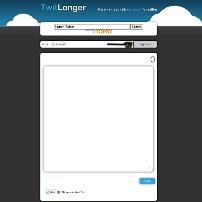
is an easy way to post long messages to Twitter without the need to write a blog post. Twitlonger lets you post to Twitter when 140 characters just isn’t enough for conveying your message. Write what you need in Twitlonger and Twitlonger post the link to Twitter for you. It is like twitpic for text.

If your tweet runs to 150 characters, you can almost certainly reword it to get it to fit. If, however, you want to make a point that fits in the conversation, or want to explain something technical, then this lets you stay within the Twitterverse without posting a dozen tweets. People those are interested can click on the link and see the full majesty of your wit and wisdom.

Twitlonger store your Twitter username, your Twitter display name and the link to your Twitter avatar and background. Twitlonger do not store passwords since Twitlonger use OAuth to access your Twitter account.

Your Twitter privacy settings are not reflected in Twitlonger. If your updates are private in Twitter it does not mean your Twitlonger posts are private. This includes Direct Messages as well. It is not recommended that you use TwitLonger for sending DMs. TwitLonger is suited for long public twitter messages.

Sign in to TwitLonger with Twitter

You can write your long tweet in the textbox given in twitlonger and click on the post button. First few word of your tweet along with (Cont) and link to the full tweet that you posted in twitlonger will be shown on your twitter home page. Your followers can click on the link and can read your complete tweet.